Slowed and Reverb: A Different Way to Hear a Song
Slowing a song down and adding a little reverb can make a familiar track feel different. The beat has more space, and the last word of a line hangs around longer. My new Chrome extension, Slowed and Reverb, lets you try that while the song is playing.
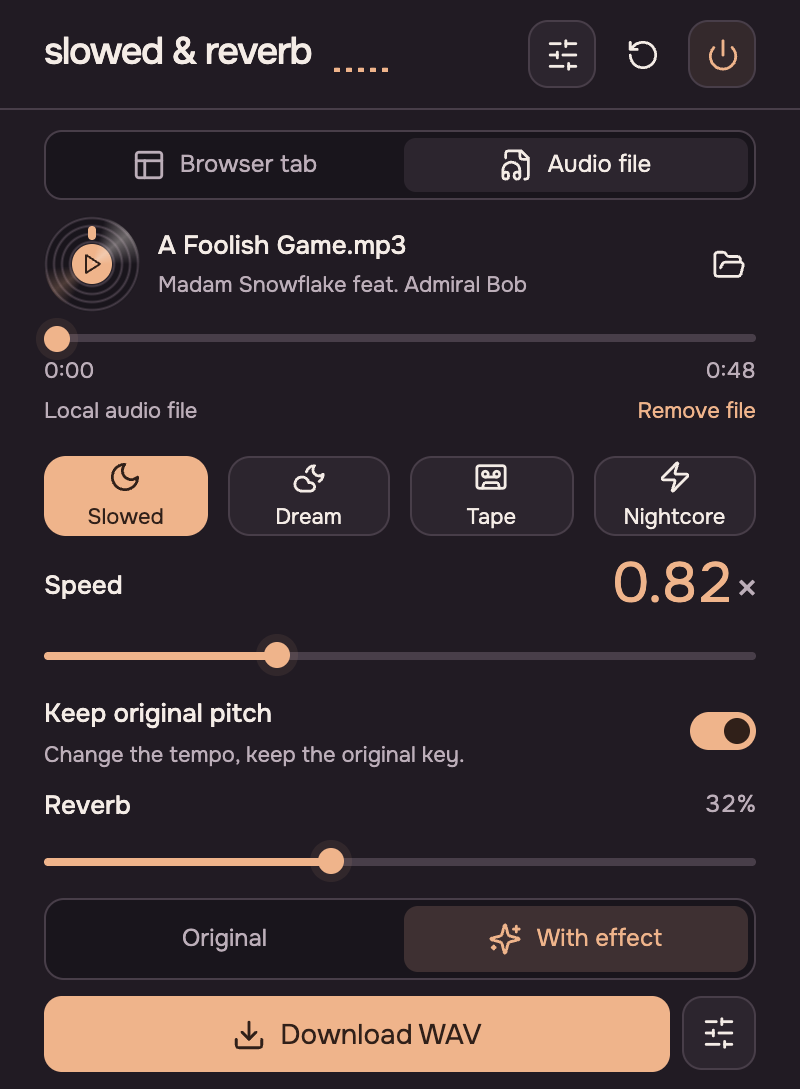
Open a music tab, click the extension and choose a preset: Slowed, Dream, Tape or Nightcore. You can adjust the speed from 0.5× to 1.5× and add as much reverb as you like. Keep the original pitch to preserve the vocal register, or turn that off and let the voice drop with the tempo. The Original button lets you hear what changed.
It works with YouTube, YouTube Music, Spotify Web Player and SoundCloud in desktop Chrome, though some protected or embedded players can block processing. The music keeps playing with the effect when you close the popup.
There is also a local-file mode: open an audio file, find a mix you like and export it as a WAV. Export is for local files; browser tabs are for live listening. All audio processing happens on your device, with no account or audio upload.
The website has a before-and-after demo, so you can hear the effect before installing. You can get the extension in the Chrome Web Store, and the source is on GitHub.